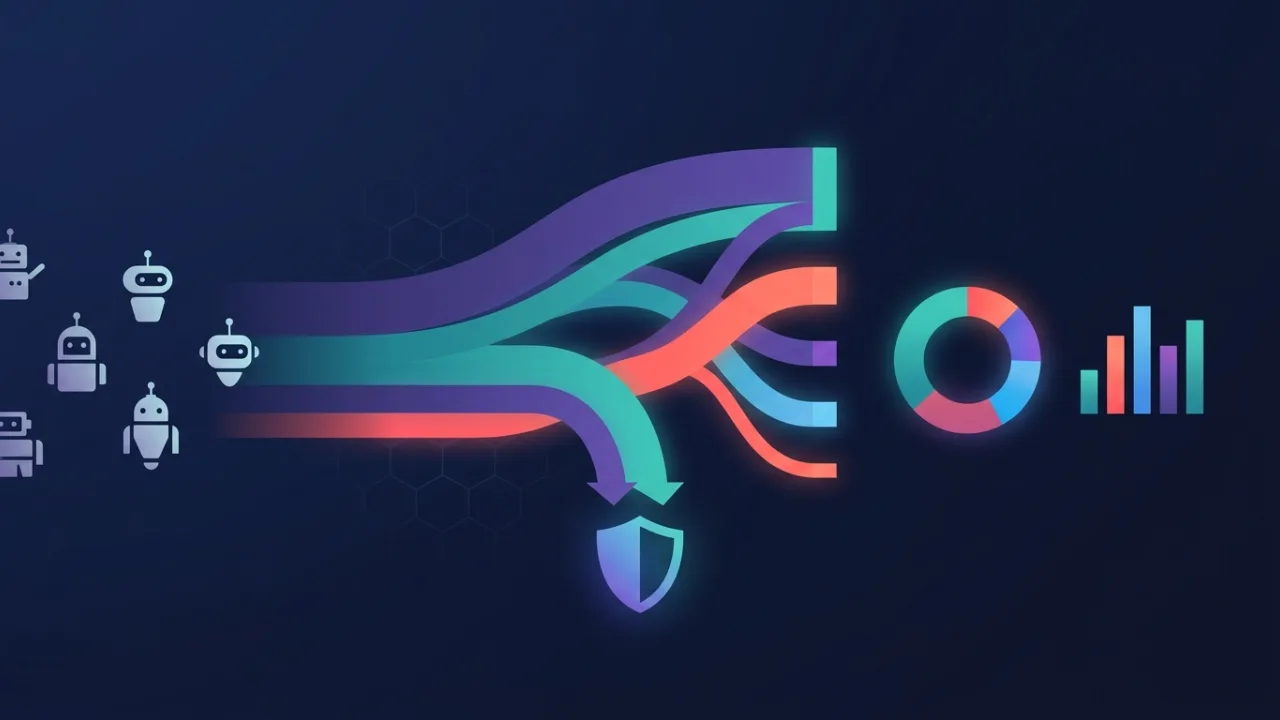
Kinsta ships in small increments, and this month's batch is mostly about visibility rather than new capability. Bot protection, launched in beta earlier this summer, now reports what it is actually doing. The MyKinsta support chat has been rebuilt around region alerts and documentation search. And the API picked up two endpoints for Force HTTPS. Here's what changed and who it matters to.
Bot traffic analytics: proof that your settings did something
When Kinsta launched bot protection in beta, the tool could block and challenge traffic but told you comparatively little about the result. That gap is now closed on several screens at once.
The centrepiece is a Sankey diagram in the Bot protection section of MyKinsta — a flow chart that traces each traffic type through the action the tool took against it, including how your protection level and custom rules bent the flow. Hovering over a request type highlights that category across the whole chart. Kinsta has had this view internally since launch; someone eventually asked why customers didn't have it, and now they do.
The regular Analytics section, under the Bot traffic tab, also reports malicious traffic — Kinsta's bucket for attack, DDoS and abuse requests. One detail matters here: that traffic is counted even if you never raised your protection level, because base protection blocks it as standard. The number shows work that was already happening invisibly. Both the Analytics and Bot protection pages break down top traffic by type, with a dropdown choosing which type the chart displays, and the Site Information page carries a donut chart summarising the previous 24 hours at a glance.
What all of this is really good for is before-and-after. Kinsta's own example is telling: most malicious requests to one site were hits on wp-login.php, and switching the protection level to Challenge bots dropped them to zero within a day. Without the reporting you would have flipped that switch and hoped. With it you can also catch the opposite problem — a level strict enough to challenge your uptime monitor, a deployment script or a plugin's REST calls will show up in the same charts. Check them after every tightening rather than assuming.
Haven't switched bot protection on yet? It lives under Sites > site name > Bot protection in MyKinsta, and the documentation walks through the levels.
Support chat: regional incidents surfaced before you queue
Clicking the chat icon in MyKinsta now starts a different flow. You pick the site you're contacting Kinsta about, and before you type anything the system checks for alerts and status page events in that site's server region and shows a notice if there's a known issue. Minor on the surface, considerably larger underneath.
Then, as you describe the problem, an AI layer searches Kinsta's documentation and offers links right in the chat window while you type. The reasoning is stated plainly: a large share of support chats ask questions the docs already answer, and finding the right paragraph in a large documentation set is genuinely hard. If a suggested link solves it, you never open a ticket. If it doesn't, one button summons a support engineer, and a separate link takes you to Kinsta's AI assistant.
Judge any documentation-first support flow on its escape hatch, and this one holds up — the human is one click away, not buried behind three rounds of a chatbot insisting it can help. That distinction is the entire difference between deflection that respects your time and deflection that wastes it. The region-alert check is the quieter win: if your site is slow because of an incident in its data centre, learning that on the first screen beats describing symptoms to someone who already knows.
Two new API endpoints: read and set Force HTTPS
Two endpoints landed this month: Get Force HTTPS status and Set Force HTTPS status. Force HTTPS is the per-site setting that redirects all HTTP requests to HTTPS — until now a checkbox you clicked in MyKinsta, one site at a time.
For a single site that's a non-event. For anyone running a fleet — an agency with fifty client sites, or a team with paired staging and production environments — it turns a manual step into a scriptable one. The obvious use is a post-provisioning or post-migration sweep: walk the account, read the flag on every site, set it where it's missing, log the exceptions. Done by hand, that's exactly the kind of check people skip until something breaks.
The endpoints are covered in the Kinsta documentation, and they fit a pattern worth tracking: Kinsta keeps extending API coverage endpoint by endpoint rather than in big releases. If there's a MyKinsta setting you'd like to automate, the Changelog is where it will turn up first.
Where to meet Kinsta: WordCamp US and DigiMarCon
Kinsta is on the road through the rest of the summer and into autumn. From August 16–19 the team is at the Phoenix Convention Center for WordCamp US. WordCamp remains one of the cheapest tickets in the tech conference world, so if you're anywhere near the American Southwest the barrier to going is low — Phoenix in August is its own kind of commitment, but the venue has air conditioning.
On September 17–18, Kinsta is a sponsor at DigiMarCon in Amsterdam, a digital marketing, media and advertising conference. Different audience entirely: that one is aimed at marketers rather than developers or sysadmins.
Which Kinsta people show up where varies by event — the company is distributed and the booth roster changes. If you want to talk to someone specific, arrange it beforehand rather than hoping to run into them.
Summary
Of the three changes, the bot traffic analytics matter most. Protection you can't measure is protection you take on faith, and the Sankey diagram plus the malicious-traffic counters turn “I enabled the strict level” into a number you can check the next morning. The support chat rework is smaller but well judged, mainly because the route to a human stayed one click long. The Force HTTPS endpoints are minor alone and genuinely useful in bulk.
One thing in this month's newsletter is worth noticing beyond the features. Kinsta opens it with a note that no AI was used to write it, then announces AI in the support chat two sections later. That's less a contradiction than a position: put the tool where it's actually good — searching a large documentation set is exactly that — and keep it out of the places where a person's judgement is the product. Every hosting provider will end up drawing that line somewhere. Where they draw it is worth watching.