You can have a personal AI agent running on a VPS in under an hour: rent a 2 vCPU / 4 GB Linux server for $5 to $10 a month, run OpenClaw's one-line installer, paste an LLM API key, connect a Telegram bot, and keep the gateway bound to localhost behind SSH. That is the whole recipe. The rest of this guide is the detail that makes the difference between a demo and something you can rely on: which server to rent, what the official install actually does, how to avoid exposing an agent that can run shell commands to the internet, and what the monthly bill looks like once you add tokens to hosting.
Disclosure: some links in this guide are affiliate links. If you buy through them, we may earn a commission at no extra cost to you. It does not change which providers we recommend, and the cheapest options below have no affiliate program.
What OpenClaw is, and why it belongs on a server
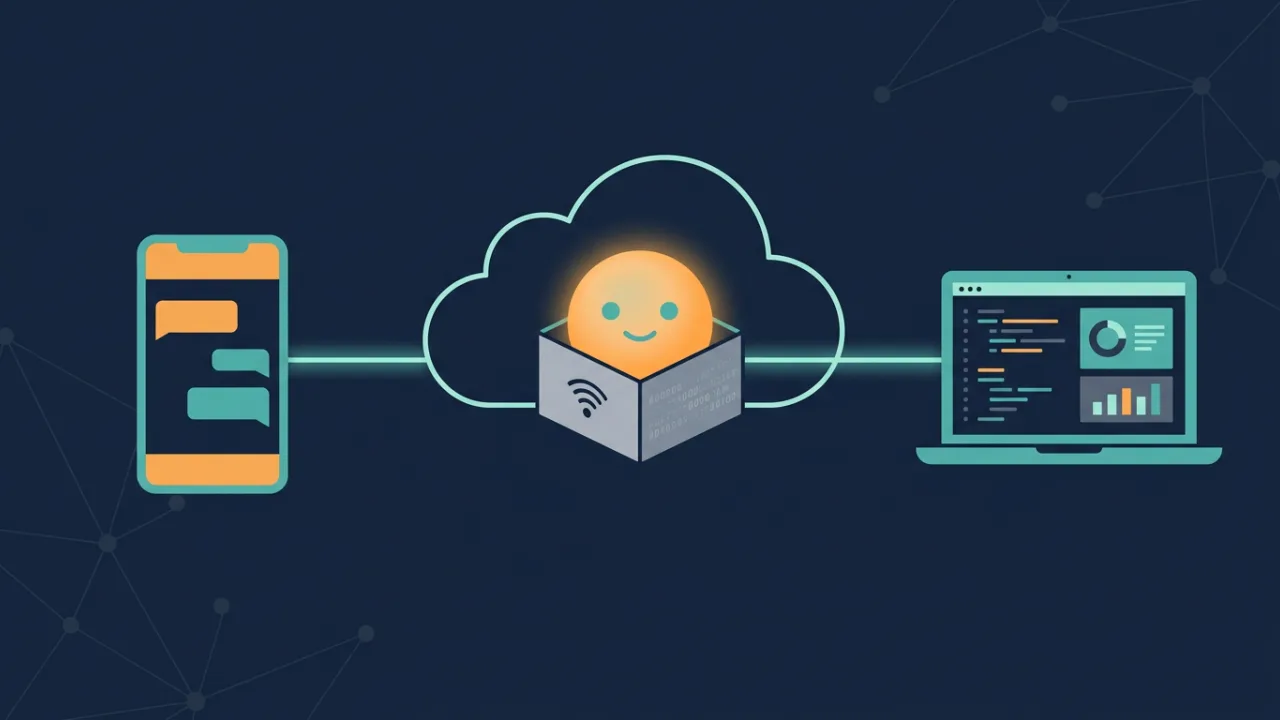
OpenClaw is an open-source, MIT-licensed personal AI agent: a gateway process that connects chat apps (Telegram, WhatsApp, Discord, Slack, Signal, Microsoft Teams and more) to an LLM of your choice, with tool use, persistent memory, per-sender sessions and multi-agent routing (OpenClaw docs, GitHub). It was created by Peter Steinberger, went through several names in early 2026 (Clawdbot, Moltbot) and has been stewarded by the non-profit OpenClaw Foundation since February 2026 (Wikipedia). Releases are calendar-versioned; the current stable at the time of writing is 2026.9.3 from 8 September 2026 (releases).
The agent does not contain a model. You bring an API key from OpenAI, Anthropic, Google, OpenRouter or others, or point it at a local Ollama instance (supported models). That is what makes a small VPS sufficient: the heavy computation happens at the provider, and your server only runs the orchestration.
The main alternative is Hermes Agent from Nous Research, also MIT-licensed, which focuses on a single self-improving agent rather than OpenClaw's multi-agent, multi-channel setup (Hermes Agent). Hermes even ships a migration command that imports OpenClaw settings, so choosing one is not a lifetime decision. Everything below about servers and security applies to both.
Why a VPS rather than your own machine: an agent on a laptop drops its Telegram connection when the laptop sleeps, cannot run a scheduled job at 6 a.m., and cannot be shared with a colleague. An agent on a server is always on, has a stable IP and can be backed up and rebuilt.
What you need before you start
- A Linux VPS with 2 vCPU and 4 GB RAM. OpenClaw's own docs say a small VPS is fine and publish no hard minimum (FAQ); independent tests found 1 GB boxes get OOM-killed, 2 GB is the bare minimum and 4 GB is the practical starting point, with 8 GB once you add browser automation (Cherry Servers, Psychz). Building the Docker image from source needs 6 GB, which is why you should use the pre-built image (Docker docs). Ubuntu 24.04 LTS or Debian 12 are the safe choices.
- Node.js 24.16+ or 26.1+ if you install natively (26 is recommended), or Docker if you go the container route (install docs). The installer can set Node up for you.
- An LLM API key from the provider you want to pay. Budget for tokens separately; see the cost section.
- A chat channel. Telegram is the easiest first channel: create a bot with @BotFather, copy the token, done. Telegram uses long polling by default, so your server needs no public URL or webhook (Telegram channel docs).
- SSH access and the habit of not running things as root.
Choosing where to host it
There are three routes, and the right one depends on how much of the server you want to own.
| Route | What you get | Examples (prices verified 8 Sept 2026) | Who it suits |
|---|---|---|---|
| Plain VPS | Bare Linux, you install and maintain everything | Hetzner CX23 2 vCPU/4 GB €5.49/mo; Verpex VPS-D4 2 vCPU/4 GB $10/mo intro, $19.99 renewal; Hostinger KVM 1 1 vCPU/4 GB $6.49 intro, $11.99 renewal | People comfortable with SSH who want the lowest cost and full control |
| VPS with OpenClaw preinstalled | Same server, initial setup done for you, still self-managed afterwards | HostArmada OpenClaw Hosting from $10.74/mo annual; Hostinger one-click Docker template on any KVM plan | People who want to skip the install but keep root |
| Fully managed agent hosting | Provider patches the runtime, backs it up, gives you a dashboard | Cloudways Managed AI Agents from $9.99/mo (1 vCPU/2 GB); Hostinger managed OpenClaw $5.99/mo on a 24-month term | People who never want to SSH into anything |
A note on Verpex, since it markets an "OpenClaw VPS Hosting" page: the page describes the manual route (choose a plan, SSH in, install OpenClaw, configure, run in the background) and does not claim a preinstall or one-click setup, so treat it as a plain VPS with a landing page (Verpex OpenClaw). What you do get is full root access, unlimited traffic, nine locations including Frankfurt and London, and 24/7 support; what you should know is that the $10 price is a 12-month intro rate that renews at $19.99, and Verpex's knowledge base says VPS services are non-refundable (money-back policy). If those terms work for you, you can order a Verpex VPS-D4 here: Verpex VPS hosting. If you would rather pay nothing extra for a European box and do not need chat support, Hetzner is the cheaper option.
We looked at the preinstalled and managed routes in detail in HostArmada's OpenClaw Hosting and Cloudways' Managed AI Agents. For a broader look at which VPS specs matter for AI workloads, see best VPS for running AI tools.
Step 1: Prepare the server
Log in as root once, then create a normal user and stop using root. Everything in OpenClaw's security guidance assumes a dedicated unprivileged user (security docs).
Enable the firewall and allow only SSH. The agent will not need any inbound port opened.
Add swap on a 4 GB box; it turns an out-of-memory crash into a slow minute.
Then reconnect as the new user.
Step 2: Install OpenClaw
The official one-line installer detects the OS, installs Node if needed, installs OpenClaw and starts onboarding (install docs):
If you prefer to control the steps, the npm route is equivalent:
The --install-daemon flag registers the gateway as a system service so it survives reboots. Onboarding asks for your model provider and API key, creates the config in ~/.openclaw/openclaw.json and generates a gateway token.
The Docker route uses the pre-built image and the project's compose setup (Docker docs):
The image runs as the unprivileged node user, and there are -slim and -browser variants, the latter bundling Chromium for browser automation. Docker is the better choice if you plan to use OpenClaw's sandbox mode, which needs Docker anyway.
Step 3: Connect a chat channel
Telegram first. Create the bot with @BotFather, then (Telegram docs):
Send the bot a message. By default OpenClaw uses a pairing policy: the first message from an unknown sender produces a code, and you approve it once:
That single step is what keeps strangers who find your bot from using your API credits. Leave it on.
WhatsApp works through a QR-linked device and only makes outbound connections, so again no public URL is needed, but you have to get the live QR code from a headless server onto your phone, which the docs warn about (WhatsApp docs). Do Telegram first, WhatsApp second.
Step 4: Reach the dashboard without exposing it
The gateway and its web control UI listen on port 18789, bound to loopback by default (configuration). Do not change that to 0.0.0.0. Instead tunnel it:
Then open http://127.0.0.1:18789 on your own machine. OpenClaw's VPS guidance recommends exactly this, or Tailscale Serve if you want a persistent private URL (VPS docs). Gateway authentication is on by default (token or password mode); if you ever need to regenerate the token, openclaw doctor --generate-gateway-token does it.
Step 5: Lock it down
An always-on agent that holds API keys and can run tools is a production server with a chat interface. The official security checklist is short and worth following in full (security docs):
- Permissions.
~/.openclaw/openclaw.jsonat mode 600 and~/.openclaw/at 700. Secrets can live in environment variables or in~/.openclaw/.envreferenced as${VAR}from the config. - Keep the pairing DM policy. The alternatives are
allowlistandopen;openon a public bot means anyone can spend your tokens. - Sandbox tool execution.
agents.defaults.sandbox.mode: "all"runs tools inside Docker containers. Combine it withtools.denyfor anything you never want the agent to touch. - Run the audit.
openclaw security audit --fixchecks the common mistakes and can correct them. - Firewall and Docker. If you use Docker with UFW, published ports bypass UFW's rules; the docs provide a
DOCKER-USERchain snippet for/etc/ufw/after.rules. This is the single most common way people accidentally expose a container. - Be careful with third-party skills. Cisco researchers found community-published skills that exfiltrated data and injected prompts, and several public bodies have restricted OpenClaw over it (Wikipedia summary). Install skills the way you would install browser extensions: few, from people you trust, and read what they do.
Step 6: Keep it healthy
OpenClaw ships its own maintenance commands (updating docs):
openclaw update validates the new version while the old gateway keeps serving, then switches; openclaw update --tag <version> rolls back. Back up before updating and put the backup somewhere off the server. On Docker, updating means changing the image tag and restarting; the new gateway runs migrations before it reports ready.
The only telemetry in the default install is a daily update check; set update.checkOnStart: false to disable it (FAQ).
What it costs per month
Two lines on the bill: the server and the tokens. OpenClaw itself is free and does not bill you (FAQ).
- Server: €5.49 to $10 a month for a 4 GB plain VPS, $10 to $20 for preinstalled or managed tiers, from the table above.
- Tokens: entirely dependent on how chatty the agent is and which model you pick. The official docs warn that long tasks and sub-agents both consume tokens and suggest a cheaper model for sub-agents via
agents.defaults.subagents.model(FAQ). Built-in tracking (/usage cost,openclaw status --usage) shows you the spend (usage tracking). Third-party cost breakdowns from 2026 put a typical personal user at roughly $10 to $30 a month in API spend on top of hosting, and light use under a dollar; we have not measured this ourselves, so treat it as an order of magnitude, not a quote (sfailabs, Kilo).
The practical rule: the hosting line is fixed and small; the token line scales with use and is the one to watch. Start with a cheap model, turn on usage tracking from day one, and only move to a premium model for the tasks where the difference shows.
Self-host or pay for managed?
- Self-host on a plain VPS if you are comfortable with SSH, want the lowest fixed cost, and are happy to run
openclaw updateand checkopenclaw healthyourself. Hetzner or Contabo in Europe, Verpex or Hostinger if you want more locations and chat support. - Take a preinstalled VPS if you want the first hour done for you but still want root. Remember it is self-managed after that.
- Pay for managed if nobody on your team wants to be on call. Cloudways' Scout tier at $9.99 is a cheap way to find out whether an agent job is worth running at all; the LLM bill is still yours.
- Do not self-host an agent with access to real credentials until you have gone through the security section above. A misconfigured
0.0.0.0bind or anopenDM policy is the difference between a helpful bot and someone else's free API credits.
To compare VPS plans by RAM, location and price, use our service comparator or browse the VPS hosting category. Current provider discounts are on the coupons page.
Frequently asked questions
Does OpenClaw need a GPU?
No. With hosted models (OpenAI, Anthropic, Google, OpenRouter) the model runs at the provider and a CPU VPS is enough. You only need a GPU if you point OpenClaw at a local Ollama model and want usable speed.
Does my VPS need a public domain or open ports?
Not for Telegram, which uses long polling, nor for WhatsApp, which connects outbound. The gateway UI stays on localhost and you reach it over an SSH tunnel or Tailscale. The only inbound port you need is SSH.
Can I run it on a 1 GB VPS?
Independent tests report OOM kills on 1 GB. Two gigabytes is the bare minimum, 4 GB the practical floor, 8 GB once browser automation is involved.
How much will the LLM cost?
Light use is under a dollar a month; typical personal use lands around $10 to $30 in tokens on top of hosting according to third-party measurements. Turn on /usage cost from the first day and route sub-agents to a cheaper model.
Is OpenClaw safe to run?
The runtime defaults are sensible (loopback bind, token auth, pairing policy). The risks are configuration mistakes and untrusted third-party skills. Follow the security section, run openclaw security audit, and be selective with skills.
A personal agent on a $6 server is one of the better deals in computing right now, provided you treat the server like the production system it is. Rent 4 GB, install with the official one-liner, keep the gateway on localhost, approve who can talk to it, and watch the token meter. Everything else can be added later.